For creators
Launching a new coin
Make the vault before the coin exists, launch with the split already pointing at it, then attach.

A coin launched with its fee split already in place never has a moment where its fees go to a plain wallet. On Fuelgauge that means three steps: vault first, launch second, attach third.
#1. Create the vault before launch
- Open Set up your coin and connect the wallet you will launch from.
- Choose My coin isn't launched yet.
- Write the budget and choose locked or editable, exactly as in the quick start.
- Approve the vault transactions.
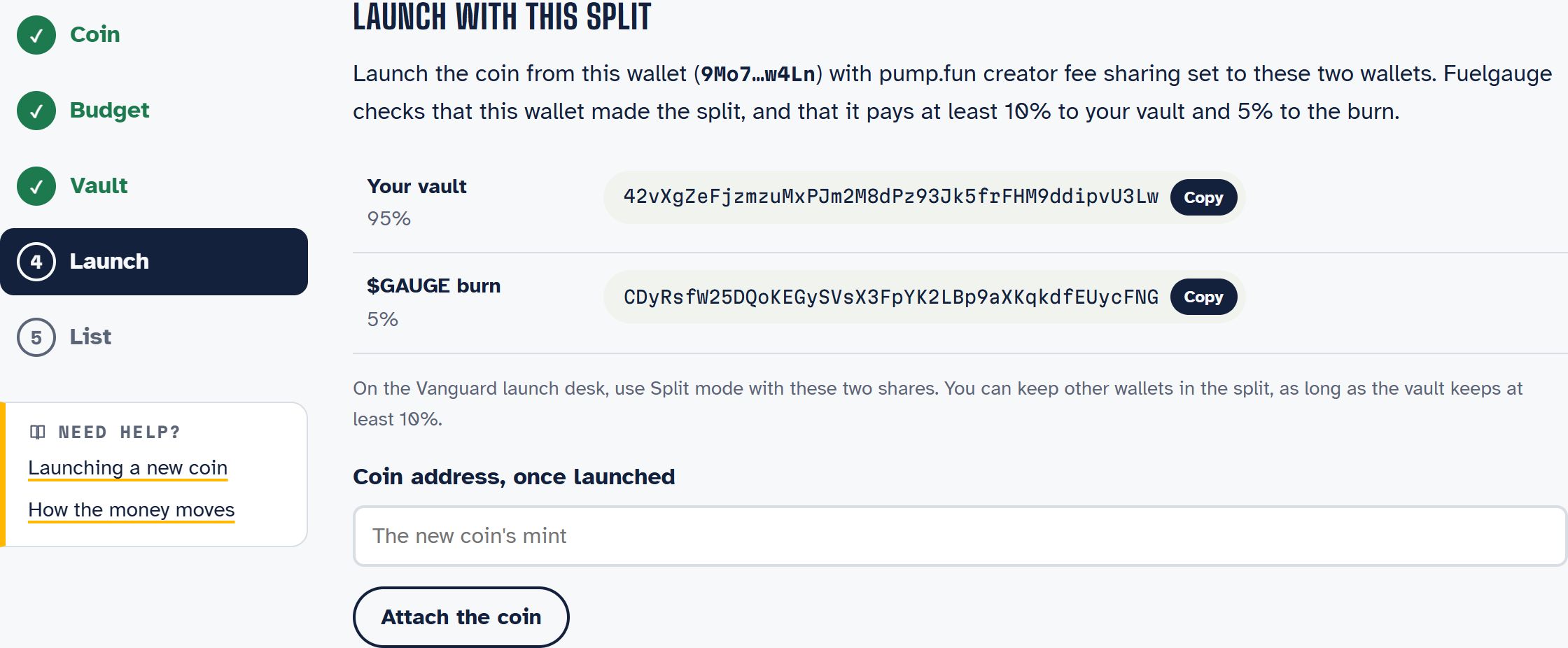
The page then shows the two wallets your coin's split must pay:
| Shareholder | Share |
|---|---|
| Your vault | 95% |
| The $GAUGE burn | 5% |
#2. Launch with the split
Launch the coin from the same wallet with pump.fun creator fee sharing set to those two wallets:
- On the Vanguard launch desk, use Split mode with the two shares. The split is set inside the launch transaction.
- With another tool, set the fee sharing right after creation from the creator wallet.
Fuelgauge checks three things about the split:
- the wallet that launched the coin made the split;
- the split pays exactly your vault and the burn;
- pump.fun has locked it.
#3. Attach and list
Back on the setup page, paste the new coin's address and choose Attach the coin. Fuelgauge reads the split on chain. You then sign the listing message, and your coin goes live with its gauge.
#Common problems
"This coin has no fee split yet": the launch did not set fee sharing. Set it from the creator wallet, then attach again.
"This coin's split was made by another wallet": the coin was launched from a different wallet than the one that made the vault. Start a new setup from the launch wallet.
"This coin's split does not pay your vault": the split points at a different address. Check the vault address you copied; a split cannot be changed once pump.fun has locked it.