For creators
Quick start for creators
Put an existing pump.fun coin on the gauge in five steps, from the wallet that created it.
You need the wallet that created the coin on pump.fun, a browser wallet that supports Solana (Phantom, Solflare or Backpack), and a little SOL for network rent. The whole setup takes about five minutes.
#1. Check the coin
Open Set up your coin, connect your wallet and paste the coin's address (its mint, shown on its pump.fun page). Fuelgauge reads the coin from Solana and tells you whether it can join.
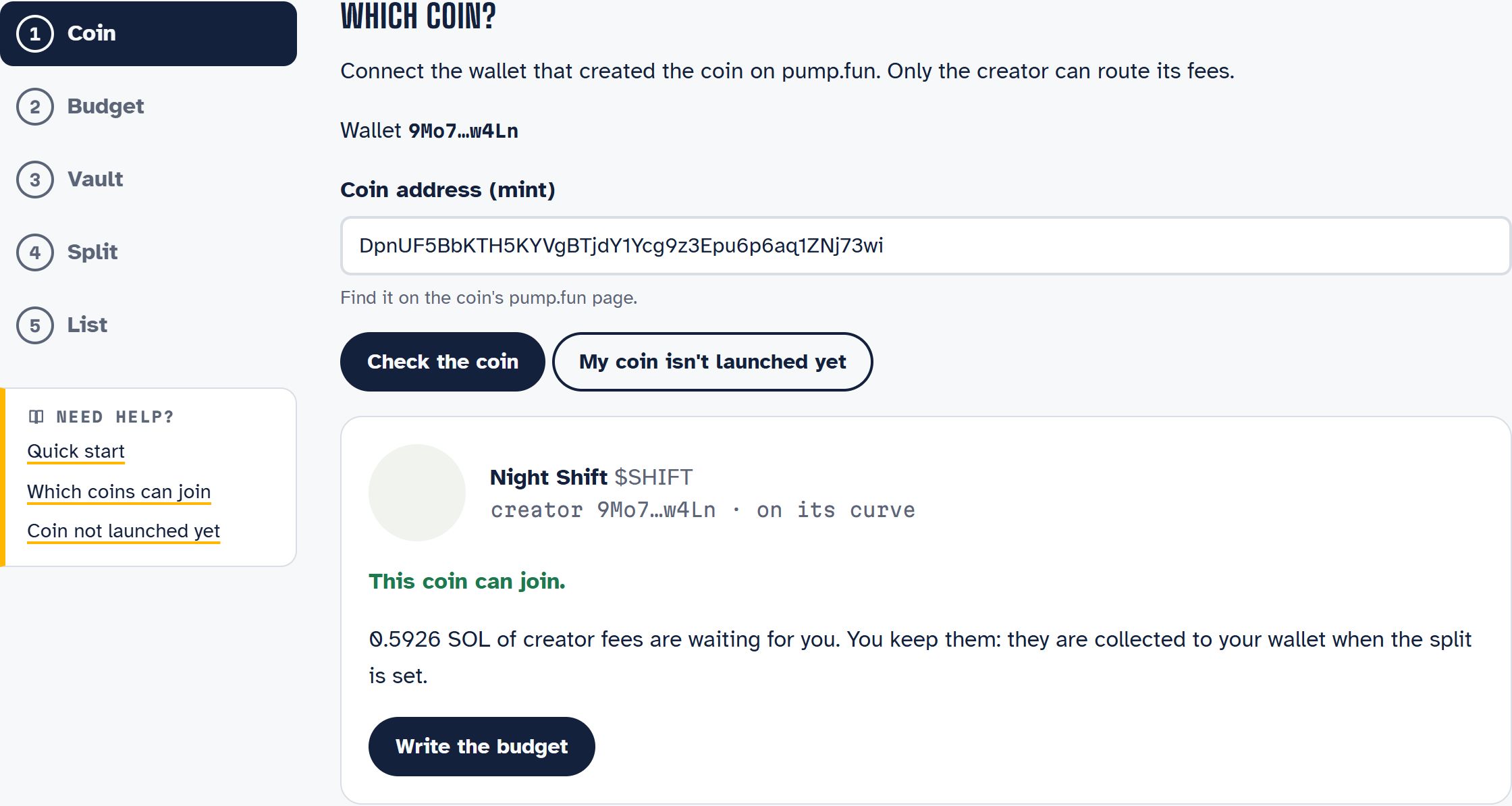
If creator fees are waiting for you, the page says how much. They stay yours: they are collected to your wallet when you set the split.
#2. Write the budget
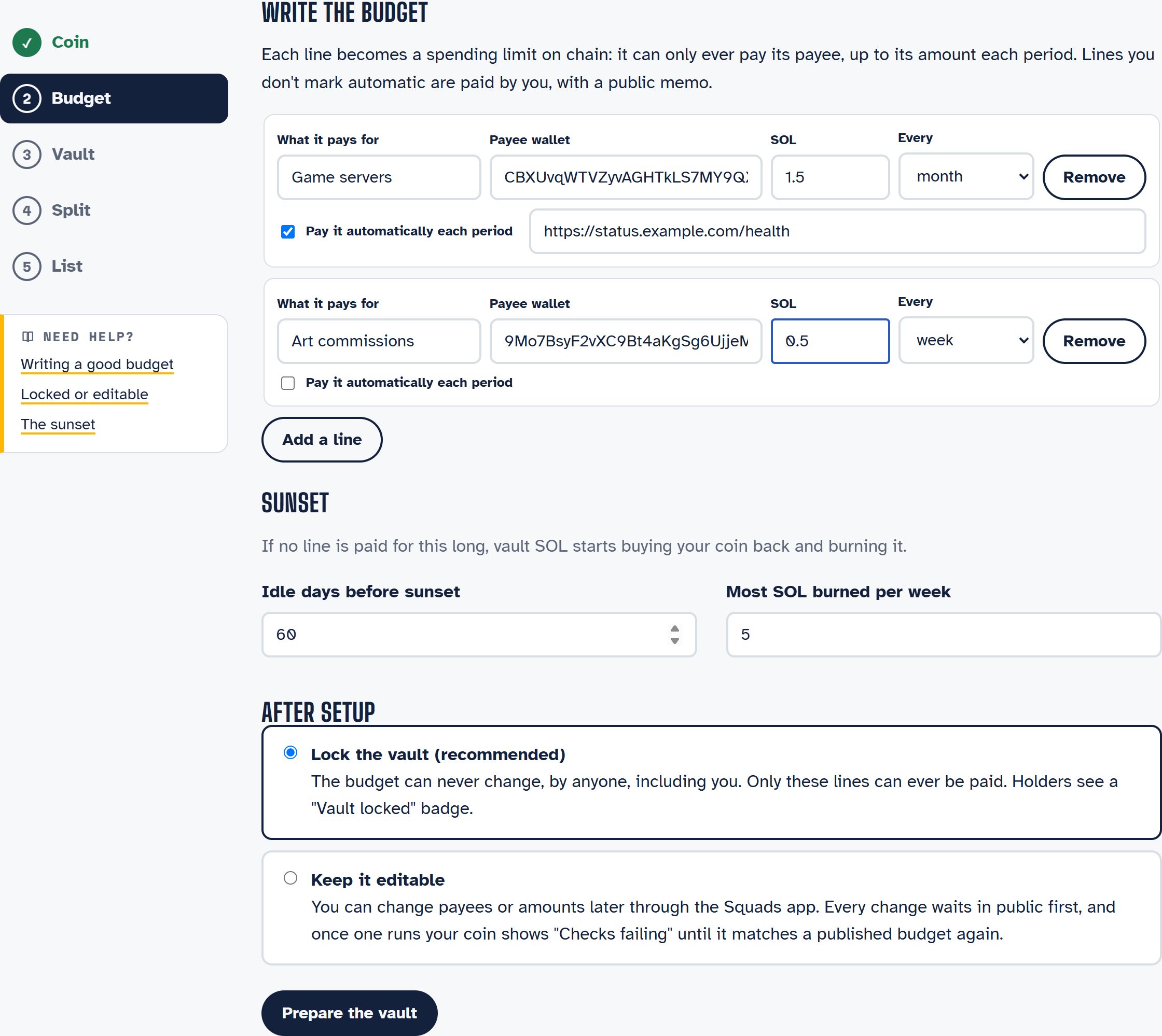
Add one line for each thing the fees should pay for, up to eight:
| Field | What it means |
|---|---|
| What it pays for | A short public label: "Game servers", "Map art", "AI compute" |
| Payee wallet | The only wallet this line can ever pay |
| SOL, every day / week / month | The most this line can pay per period (a month is 30 days) |
| Pay it automatically | The Fuelgauge keeper pays it in full at the start of each period |
| Proof URL (automatic lines) | Optional: the keeper pays only while this https address answers |
Then set the sunset: how many idle days before unspent SOL starts buying back your coin (14 to 365, default 60), and the most it may burn per week (up to 25 SOL).
See Writing a good budget for examples.
#3. Choose locked or editable
- Lock the vault (recommended). The budget can never change, by anyone, including you. Holders see a "Vault locked" badge.
- Keep it editable. You can change payees or amounts later through the Squads app. Every change waits in public for the time lock you choose (at least 24 hours), and once one runs your coin shows "Checks failing" until it matches a published budget again.
Read Locked and editable vaults before you choose.
#4. Create the vault
Your wallet asks you to approve them all at once: your number of lines plus three transactions.
- create the vault;
- add each budget line;
- add the sunset line;
- lock the vault (or set its time lock).
Network rent is roughly 0.003 SOL per transaction. If a step fails or you close the tab, open the page again: the setup continues from what is already on chain.
#5. Set the split, then list
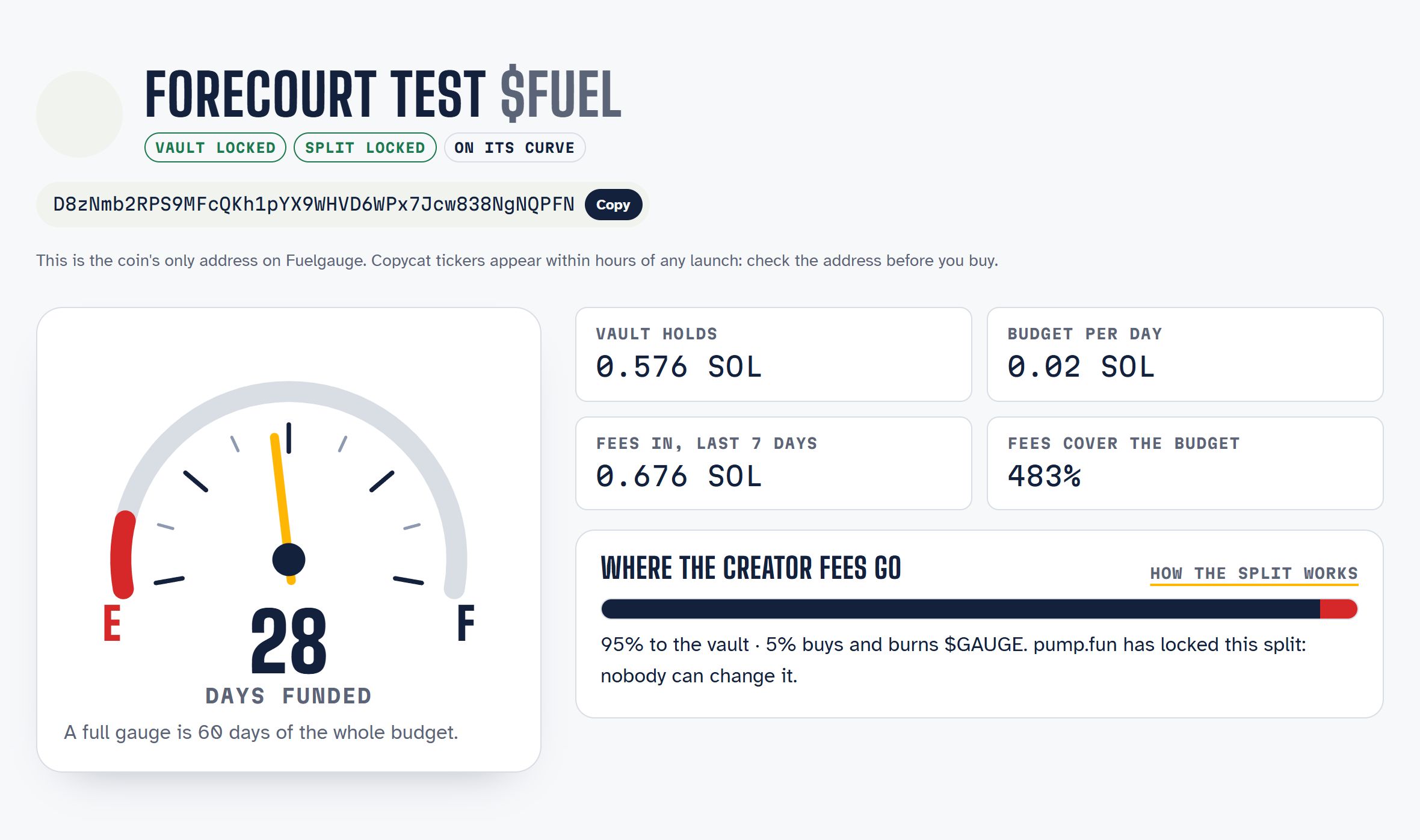
Setting the split is permanent. One transaction collects the fees waiting for you, opts the coin into pump.fun fee sharing and sets 95% to your vault and 5% to the $GAUGE burn. pump.fun locks it immediately.
Finally, sign a short message (no transaction, no cost) to list the coin. Fuelgauge checks everything on chain and your coin's page goes live with its gauge.
#After listing
- The keeper pays out pump.fun's fees to the vault and the burn about every 10 minutes once enough has built up.
- Automatic lines are paid each period; pay manual lines from your coin's page (Paying a budget line).
- Share your coin page: its link preview shows your coin's name and days funded.