For creators
Paying a budget line
Pay a manual line from your coin's page, with a public note that becomes the receipt.
Manual lines are paid by you, when the work is done, with a note saying what the payment is for.
#Steps
- Open your coin's page and choose Pay a budget line.
- Connect the wallet that listed the coin.
- Choose the line. The menu shows what each line has left this period.
- Enter the amount in SOL and a note of 3 to 100 characters, such as "October hosting invoice" or "Map tileset, first half". The note is public.
- Choose Pay from the vault and approve in your wallet.
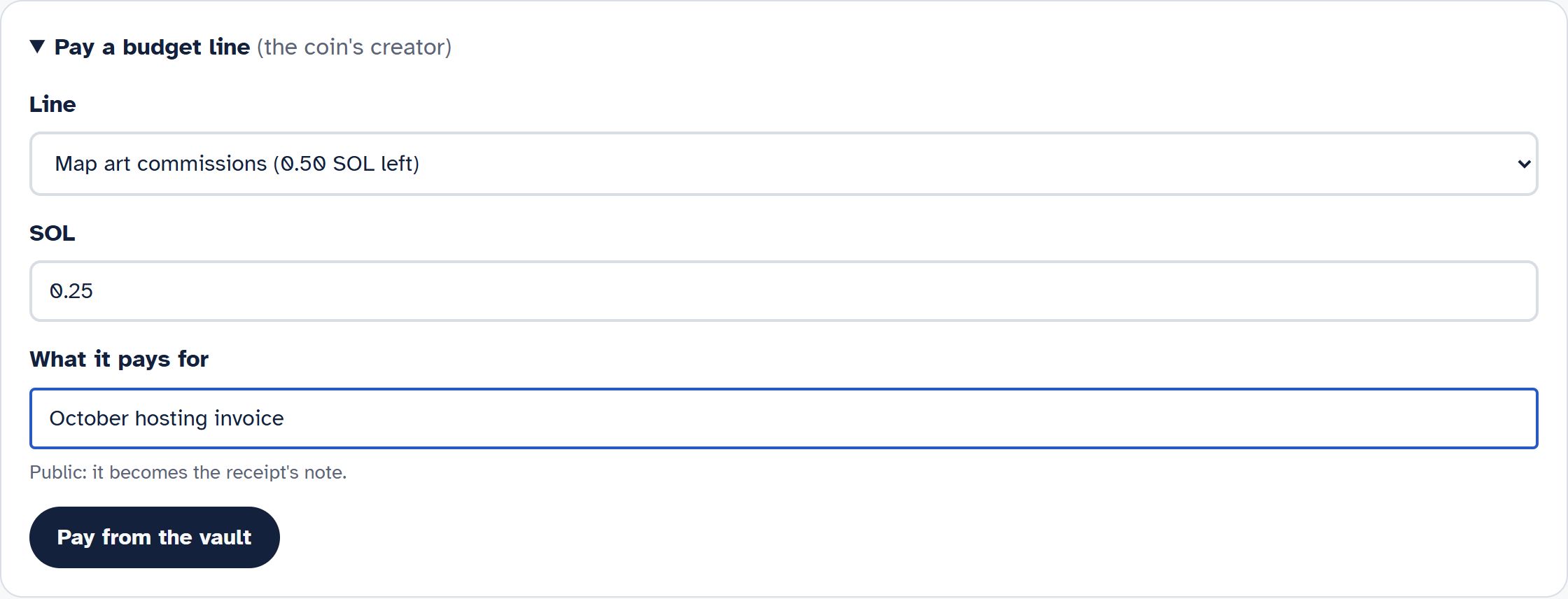
The payment goes straight from the vault to the line's payee through its spending limit. Your wallet pays only the network fee. The receipt appears on the coin's page within a few minutes, labelled with the line and your note.
#What the page refuses
- A wallet that did not list the coin. Only the lister can pay lines through the site.
- More than the line has left this period. Wait for the next period, or pay less.
- More than the vault can spend.
- Any payment while the coin's checks are failing.